Violation Insights
Prerequisites
- This feature uses Nirmata AI to analyze and group violations.
- Ensure AI settings are enabled for your tenant under Settings > AI.
- If the “Insights” tab is not visible:
- Confirm that your user role has appropriate permissions.
- Contact your Nirmata administrator to enable AI features.
How to Access
To view Violation Summarization and Prioritization:
- Go to the Clusters or Namespaces page.
- Select a specific cluster or namespace.
- By default, you will land on “Insights” tab if AI is enabled for your tenant.
Key Features
The Violations Insights page provides:
- Summary view of violations across clusters or namespaces.
- Top risks, grouped by policy or category.
- Violation count breakdown by severity and namespace.
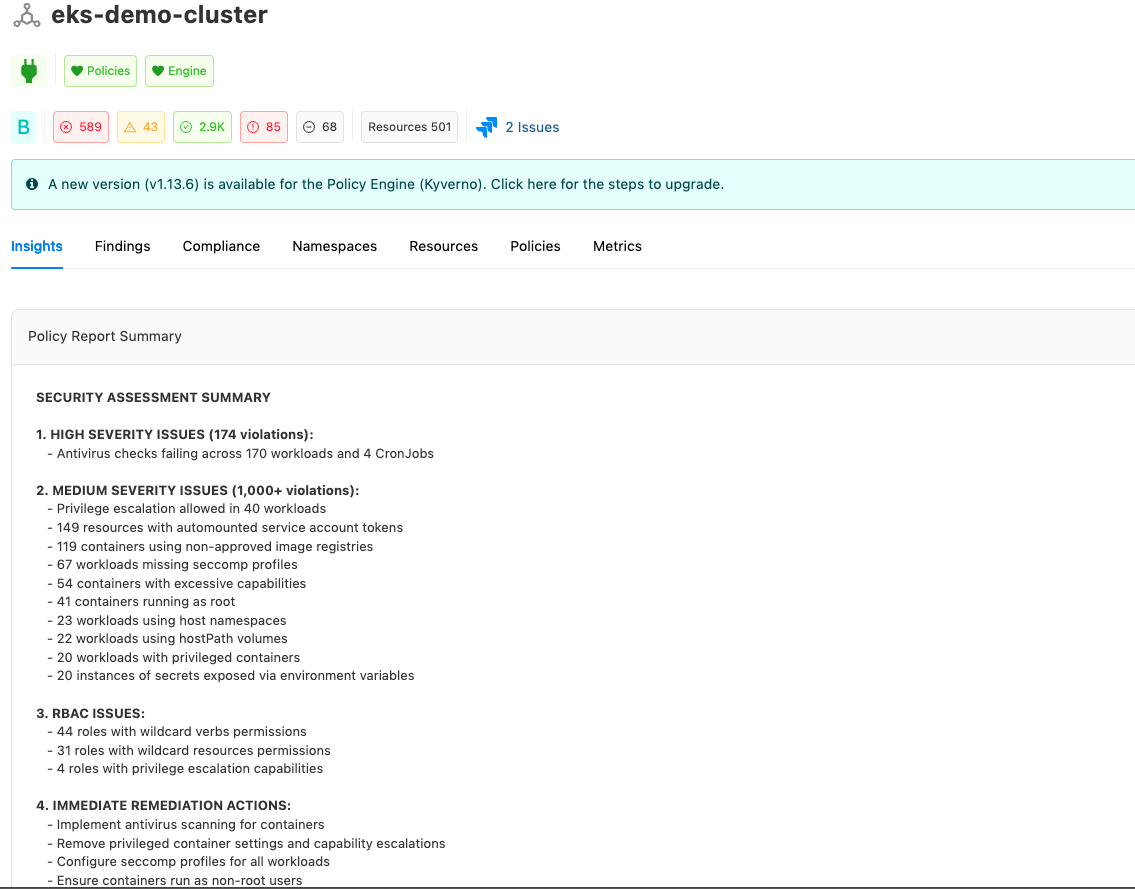
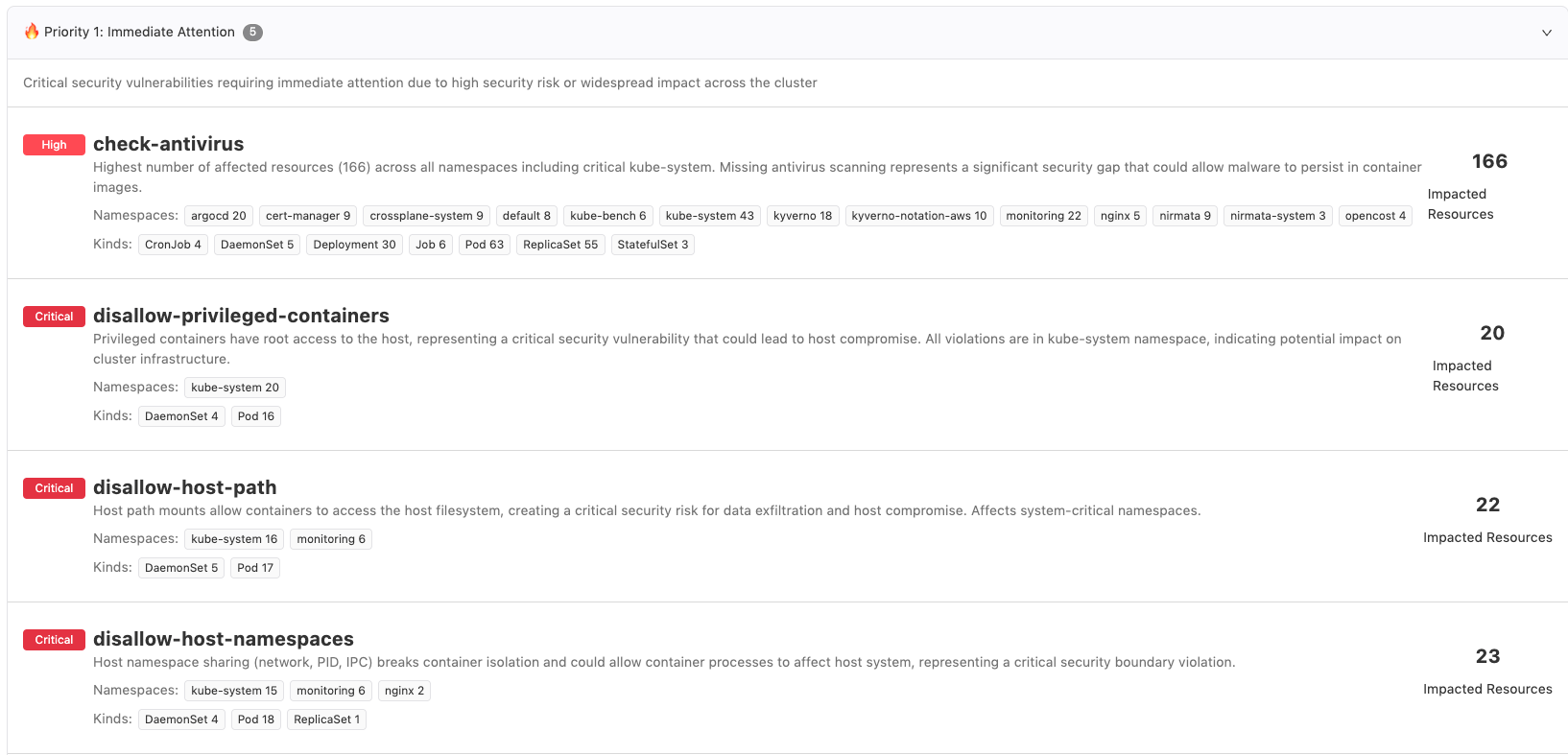
The violations are also classified into different priorities based on their severity and blast radius:
- 🔥 Priority 1 – Critical misconfigurations
- 🚨 Priority 2 – High importance
- ℹ️ Priority 3 – Best practices
Benefits & Usage
Use this page to:
- Quickly identify the most urgent issues in your cluster or namespace.
- Focus remediation efforts on high-impact violations.
- Reduce noise and avoid “alert fatigue.”
- Create Jira tickets directly for prioritized items with prefilled context.
Feedback
Was this page helpful?
Glad to hear it! Please tell us how we can improve.
Sorry to hear that. Please tell us how we can improve.