Architecture & Policy Workflow
Applies to: Nirmata Control Hub 4.0 and later
This page explains the role of each Nirmata component and how a policy travels from your Git repository to your clusters, and how the resulting findings flow back into Nirmata Control Hub (NCH).
Components at a Glance
| Component | Runs in | Role |
|---|---|---|
| Nirmata Control Hub | Nirmata SaaS (or self-hosted) | Central control plane: Policy Sets, policy reports, compliance, exceptions, users/teams. |
| Nirmata Kube Controller | Each cluster (nirmata namespace) | Registers the cluster with NCH over an outbound WebSocket tunnel. Sends cluster state and policy results to NCH and, in Read-Write mode, applies resources requested by NCH (such as PolicySet). |
Nirmata Operator (enterprise-kyverno-operator) | Each cluster (nirmata-system namespace) | Manages Kyverno and PolicySets: pulls policies from Git or Helm, applies them, keeps them in sync, and restores them if tampered with. See Nirmata Operator. |
| Kyverno / Nirmata Enterprise for Kyverno (N4K) | Each cluster (kyverno namespace) | Policy engine. Validates, mutates, and generates resources at admission time and runs background scans. Writes results as PolicyReports. |
| Git provider (GitHub, GitLab, Bitbucket) | Your environment | Source of truth for policies and for application manifests. |
High-Level Architecture
All connections are initiated from your environment outbound to NCH and to your Git provider. NCH never needs inbound access to your clusters. The numbered steps show how a policy is rolled out.
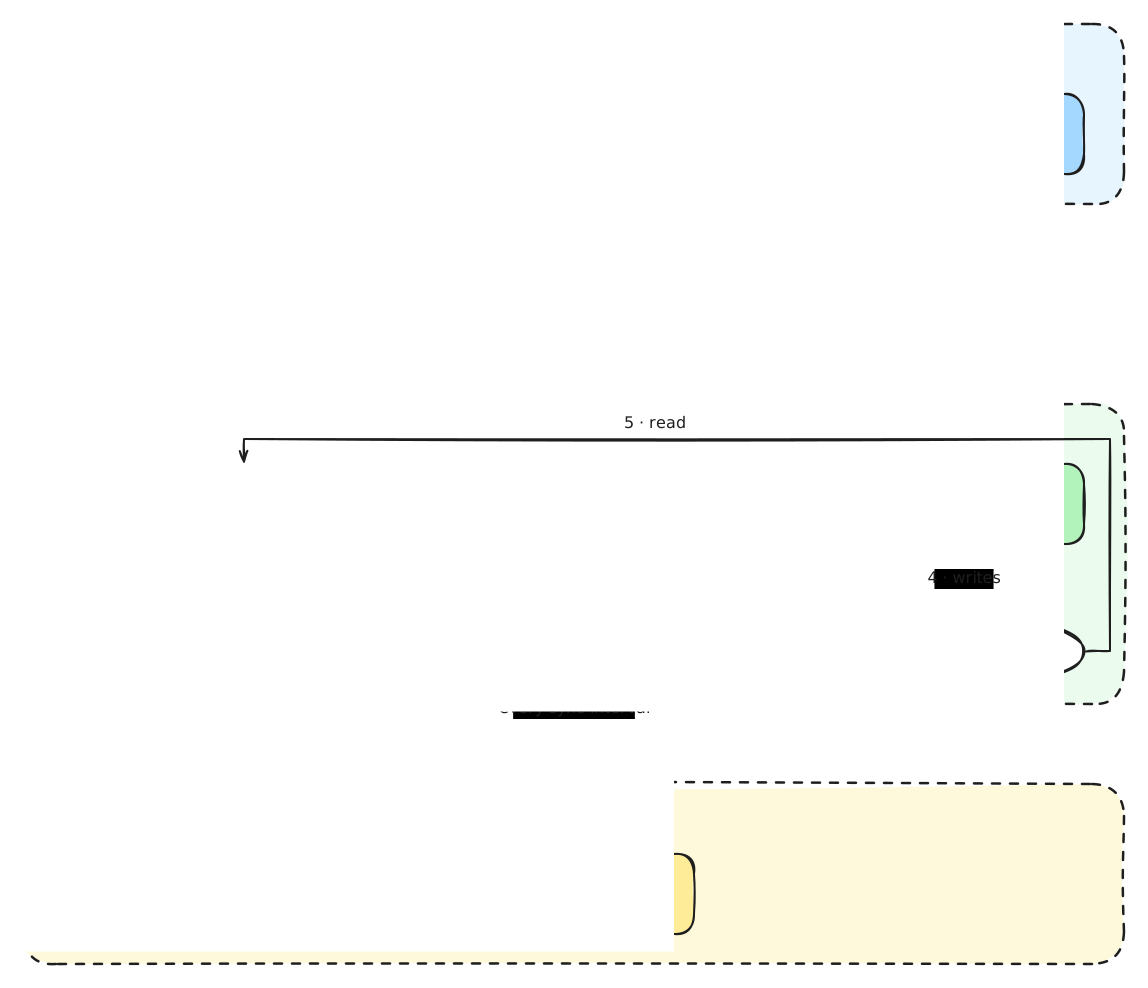
Diagram source: policy-rollout-architecture.excalidraw (open with excalidraw.com).
Policy Deployment Workflow
You can deploy policies to clusters in one of the following ways. Option A is recommended when you want NCH to own the policy rollout. Option B suits teams that already deploy everything through Argo CD or Flux.
Option A: Git Policy Set (recommended)
Policies live in Git. NCH defines which repository, branch, and path go to which clusters. The Nirmata Operator in each cluster pulls the policies, so policy content flows directly from Git to the cluster.
sequenceDiagram
    autonumber
    actor Dev as Policy author
    participant Git as Git repo (policies)
    participant CI as CI pipeline
    participant NCH as Nirmata Control Hub
    participant KC as Kube Controller
    participant OP as Nirmata Operator
    participant KY as Kyverno

    Note over NCH: One-time setup
    NCH->>NCH: Create Git Policy Set<br/>(repo, branch, path, sync interval,<br/>auto-deploy, cluster selector)
    NCH->>KC: Send PolicySet resource (tunnel)
    KC->>OP: Apply PolicySet in nirmata-system

    Note over Dev,KY: Every policy change
    Dev->>Git: Open merge/pull request with policy change
    CI->>CI: Validate & test policies<br/>(kyverno test / nctl scan)
    Dev->>Git: Merge to watched branch
    loop Every sync interval (default 300s)
        OP->>Git: Check for new commit
    end
    OP->>Git: Fetch policies (new commit found)
    OP->>KY: Create / update ClusterPolicies
    KY-->>KC: Policy status & PolicyReports
    KC-->>NCH: Rollout status, reports
Key points:
- Sync is pull-based. Your CI pipeline does not need to call NCH. Once a change is merged to the watched branch, each Operator picks it up within the configured Sync Interval. If Auto Deploy Changes is enabled, new commits are applied automatically.
- Targeting is done with cluster label selectors, or by adding clusters to the Policy Set directly. Newly onboarded clusters can receive Default Policy Sets automatically.
- Private repositories use a Kubernetes Secret containing a Git token, created in the cluster and referenced by the Policy Set. Credentials stay in your cluster.
- The repository can contain plain policy YAML, a Kustomize overlay, or a Helm chart.
See Policy Sets for configuration steps.
Option B: Your own GitOps (Argo CD, Flux)
If you already deploy everything through a GitOps tool, it can apply Kyverno policies like any other manifest. Onboard the cluster in Read-Only mode. NCH still collects reports and provides compliance views, but does not deploy policies itself.
flowchart LR
    Git["Policy repo"] --> GO["Argo CD / Flux"]
    GO -- "apply ClusterPolicies" --> KY["Kyverno"]
    KY --> POLR[("PolicyReports")]
    POLR --> KC["Kube Controller"] --> NCH["Nirmata Control Hub<br/>(reports, compliance)"]
Note: Do not manage the same policies with both a Policy Set and a GitOps tool. The Operator’s tamper protection and your GitOps tool will each try to restore their own version.
Option C: YAML Policy Set
For quick evaluations, policies can be uploaded directly to NCH as YAML and assigned to clusters. Git-based Policy Sets are preferred for production because they provide history, review, and rollback.
Enforcement and Reporting
flowchart LR
    U["kubectl / CD tool"] -- "admission request" --> API["Kubernetes API server"]
    API -- "webhook" --> KY["Kyverno"]
    KY -- "allow / deny / mutate" --> API
    KY -- "background scan of existing resources" --> KY
    KY --> POLR[("PolicyReports")]
POLR --> KC["Kube Controller"] --> NCH["NCH: Policy Reports,<br/>Compliance, Exceptions"]- Admission control evaluates every create/update request. Policies in
Enforcemode block non-compliant resources;Auditmode records them. - Background scans re-evaluate existing resources and keep PolicyReports up to date.
- NCH aggregates reports from all clusters and pipelines into Policy Reports and Compliance views. Policy Exceptions can be requested and approved in NCH.
Drift Detection: Who Is Responsible?
Drift falls into two main kinds: policy drift (deployed policies differ from Git) and resource compliance drift (workloads violate policies). The table also covers rollout state and policies managed by your own GitOps tool, and shows which component is responsible in each case.
| Drift type | Example | Detected / corrected by |
|---|---|---|
| Policy drift: deployed policies differ from Git | Someone edits or deletes a ClusterPolicy with kubectl | Nirmata Operator. With tamper prevention enabled (the default, preventPolicyTamper: true), it restores policies owned by a PolicySet to the state in Git. It also re-applies the policies on every sync interval. |
| Policy Set rollout state | A cluster did not receive the latest version | NCH shows per-cluster rollout status reported back by the Kube Controller. |
| Resource compliance drift: workloads violate policies | A Deployment runs without resource limits | Kyverno detects it (admission + background scan) and reports it. NCH shows it. |
| Policies managed by Argo CD / Flux (Option B) | Same as policy drift | Argo CD / Flux self-heal. |
Network Requirements Summary
| From | To | Purpose |
|---|---|---|
| Kube Controller | NCH (wss://<your-nch-host>/tunnels, HTTPS 443) | Cluster registration, reports, PolicySet delivery |
| Nirmata Operator | Git provider (HTTPS 443) or Helm repository | Fetch policies |
No inbound connections to your clusters are required.
Feedback
Was this page helpful?
Glad to hear it! Please tell us how we can improve.
Sorry to hear that. Please tell us how we can improve.